





 President’s Message
Blog
Cat8 vs Cat7A Cable: Where Does Cat8 Actually Make Sense?
Reading Time: 19 minutes
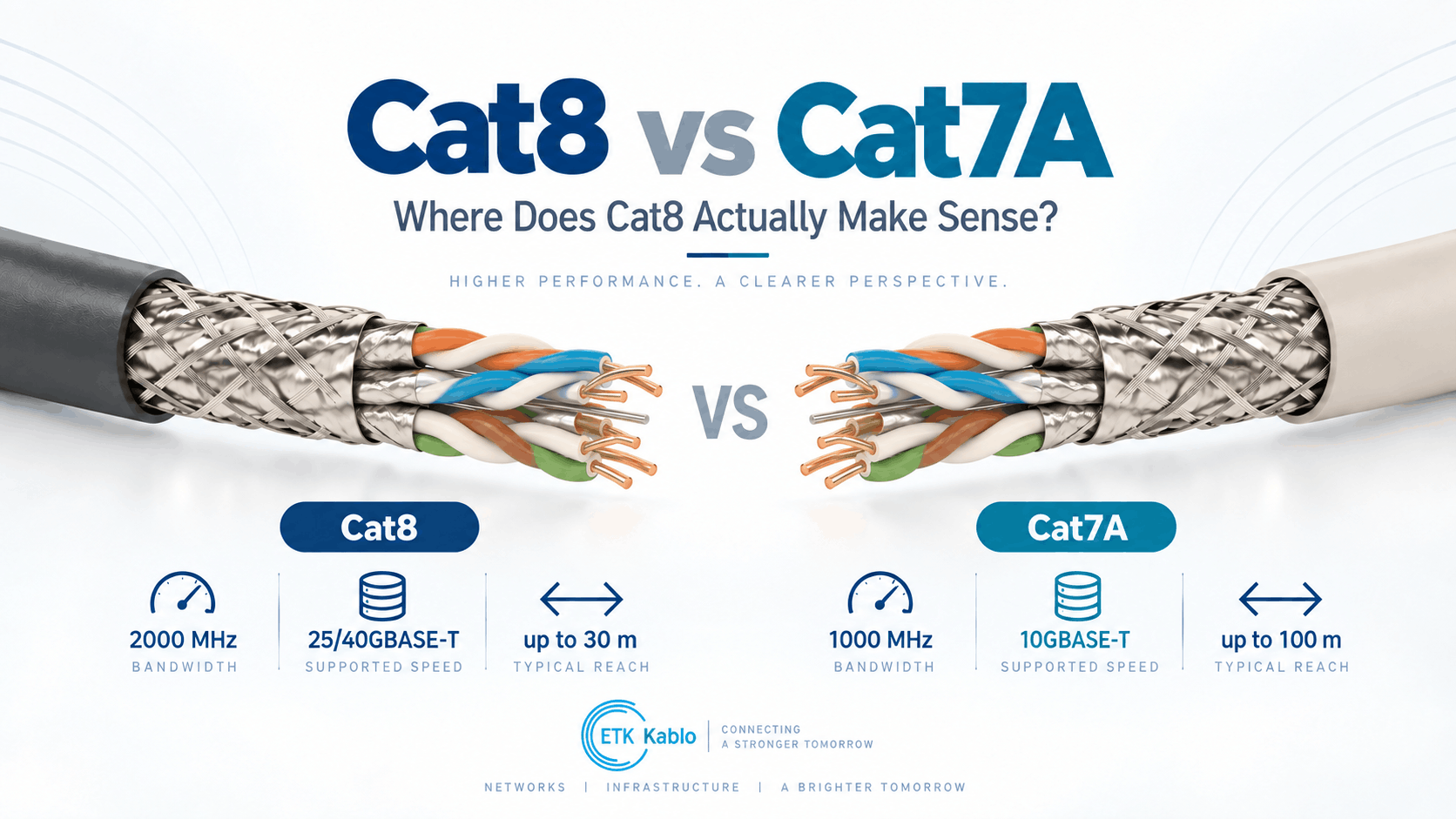
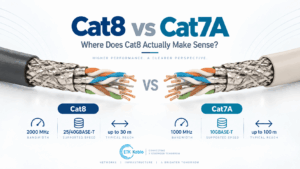
Cat8 vs Cat7A is often presented as a simple comparison in which Cat8 is assumed to be the newer, faster and therefore better Ethernet cable. In reality, the two categories were developed around different structured-cabling architectures.
Cat7A provides high-performance screened copper cabling with transmission characteristics specified up to 1000 MHz. It belongs to the ISO/IEC Class FA cabling architecture and can support 10GBASE-T over conventional structured-cabling distances when implemented as a compliant system.
Cat8 doubles the specified frequency range to 2000 MHz and was developed specifically to support 25GBASE-T and 40GBASE-T over short balanced-copper links. However, the standardized channel is dramatically shorter: approximately 30 metres rather than the conventional 100-metre horizontal cabling architecture.
Therefore, Cat8 should not be interpreted as a universal replacement for Cat7A, Cat6A or other structured-cabling categories.
Quick answer: Cat8 makes sense when a data center specifically requires 25GBASE-T or 40GBASE-T over balanced copper and the complete channel remains within approximately 30 metres. Cat7A remains relevant for highly screened 1000 MHz infrastructure and 10 Gigabit applications requiring longer structured-cabling reach. For ordinary offices, smart buildings, industrial networks and most 10 GbE installations, Cat8 usually provides little practical benefit over a correctly selected Cat6A or Cat7A system.
Cat8 vs Cat7A at a Glance
| Characteristic | Cat7A | Cat8 |
|---|---|---|
| Referenced frequency | 1000 MHz | 2000 MHz |
| International channel class | Class FA | Class I / Class II |
| Primary Ethernet application | 10GBASE-T | 25GBASE-T / 40GBASE-T |
| Typical structured channel reach | Up to 100 m for applicable 10 GbE architecture | Up to 30 m for 25/40GBASE-T architecture |
| Shielding | Highly screened | Screened |
| Typical construction | S/FTP | U/FTP, F/UTP, F/FTP or S/FTP depending on standard/design |
| Standard RJ45 ecosystem | Not the native Class FA connectivity architecture | Available through Category 8 / Cat8.1 modular connectivity |
| Best application | High-performance 10G structured cabling and high-EMI environments | Short-reach 25/40G copper data-center links |
| General office horizontal cabling | Possible but specialized | Usually unnecessary |
| 100 m high-speed copper | 10GBASE-T | Cat8’s 25/40G application is not a 100 m architecture |
Consequently, frequency alone does not determine which cable is more appropriate. Required data rate and channel length are usually more important.
What Is Cat7A Cable?
Category 7A is an internationally standardized high-performance balanced copper cabling category associated with ISO/IEC Class FA.
Its transmission characteristics extend to 1000 MHz.
Cat7A cable typically uses individually foil-screened twisted pairs together with an overall metallic screen, commonly described as S/FTP.
This comprehensive shielding architecture provides strong protection against:
- Near-end crosstalk
- Alien crosstalk
- External electromagnetic interference
- Radio-frequency interference
Therefore, Cat7A can be attractive in electrically demanding environments where signal integrity and shielding performance are particularly important.
What Is Cat8 Cable?
Category 8 represents the highest standardized performance level commonly associated with four-pair balanced copper data cabling.
Its transmission requirements extend to 2000 MHz.
Cat8 was developed specifically to support Ethernet applications beyond 10 Gb/s over short copper channels.
The key target applications are:
- 25GBASE-T
- 40GBASE-T
However, achieving those data rates required a different reach model from conventional horizontal structured cabling.
Rather than designing around a 100-metre channel, Category 8 targets a channel of approximately 30 metres with limited connection points.
Therefore, Cat8 is primarily a data-center technology rather than a universal building cabling upgrade.
Cat8 vs Cat7A: The Main Difference
The most important difference in Cat8 vs Cat7A is not simply 2000 MHz versus 1000 MHz.
It is the relationship between bandwidth, Ethernet speed and reach.
Cat7A provides:
- Up to 1000 MHz cable performance
- High-performance screened cabling
- Class FA structured cabling
- 10GBASE-T across conventional building-cabling distances
Cat8 provides:
- Up to 2000 MHz cable performance
- Highly controlled screened construction
- Support for 25GBASE-T and 40GBASE-T
- A much shorter 30 m channel architecture
Consequently, Cat8 trades reach for significantly higher copper data rates.
Cat8 vs Cat7A: Why Cat8 Is Limited to Approximately 30 Metres
Higher frequency increases the difficulty of transmitting data reliably through balanced copper cable.
At frequencies approaching 2 GHz, several transmission impairments become increasingly demanding.
These include:
- Insertion loss
- Return loss
- NEXT
- Power-sum crosstalk
- Alien crosstalk
- Balance
- Propagation characteristics
Signal attenuation also increases as cable length increases.
Therefore, the standards architecture limits the channel length so that sufficient signal-to-noise margin remains for 25GBASE-T and 40GBASE-T operation.
Why Cat8 Is Not a 100-Metre 40G Cable
This is one of the most common Cat8 misconceptions.
A label such as “40 Gbps Cat8” does not mean that 40GBASE-T will operate over the conventional 100-metre Ethernet channel.
The IEEE copper architecture for 25GBASE-T and 40GBASE-T was developed around balanced twisted-pair channels of up to approximately 30 metres.
Therefore, specifying Cat8 for a 70 m or 90 m horizontal run does not create a standardized 40 GbE connection.
If the application requires data rates beyond 10 Gb/s over longer distances, optical fiber normally becomes the more appropriate medium.
Cat7A 1000 MHz vs Cat8 2000 MHz
The frequency difference looks dramatic.
Cat7A is specified to 1000 MHz, while Cat8 extends transmission characteristics to 2000 MHz.
However, MHz and Gbps are not interchangeable.
Frequency describes the transmission bandwidth that the cabling must support.
Ethernet data rate also depends on:
- Modulation
- Encoding
- Digital signal processing
- Signal-to-noise ratio
- Use of all four pairs
Therefore, buyers should never interpret “2000 MHz” as meaning exactly twice the real network throughput of “1000 MHz.”
Cat8 vs Cat7A for 40GBASE-T
Cat7A should not be specified as the standard cabling medium for IEEE 40GBASE-T.
During development of higher-speed copper Ethernet, shortened high-performance existing cabling architectures were evaluated as part of technical studies.
However, the standardized 25GBASE-T and 40GBASE-T cabling target became Category 8 / Class I / Class II.
Therefore, a consultant requiring standardized 40GBASE-T copper infrastructure should specify the appropriate Category 8 system rather than assume that Cat7A automatically provides 40 GbE because its bandwidth exceeds Cat6A.
Does Cat7A Support 10GBASE-T?
Yes.
Cat7A provides significantly more frequency headroom than required by 10GBASE-T.
Its strong pair screening also provides excellent crosstalk and external EMI control.
Therefore, Cat7A can provide robust 10 Gigabit performance in demanding screened cabling systems.
However, Cat6A also supports 10GBASE-T over a full 100-metre channel.
Consequently, Cat7A should normally be selected because its additional screening, Class FA requirements or project-specific architecture provides value—not merely because the project needs 10 GbE.
Does Cat8 Support 10GBASE-T?
Yes.
Higher-category cabling is designed with backward compatibility considerations for lower-speed Ethernet applications when used with appropriate compatible connectivity.
Therefore, a Cat8 link can carry 10GBASE-T.
However, using Cat8 solely for a 10 GbE application usually provides little practical value unless the infrastructure is deliberately being prepared for future 25GBASE-T or 40GBASE-T equipment.
Cat8 vs Cat7A Channel Length
| Application | Cat7A | Cat8 |
|---|---|---|
| 10GBASE-T | Suitable within Class FA architecture | Suitable |
| 25GBASE-T | Not the standardized target medium | Designed for it |
| 40GBASE-T | Not the standardized target medium | Designed for it |
| Conventional 100 m horizontal channel | Yes for applicable lower-speed architecture | Not for standardized 25/40G application |
| Short 30 m data-center channel | Technically high-performance | Primary intended environment |
Consequently, the physical topology should be established before the category is selected.
Cat8 vs Cat7A: Cat8.1 and Cat8.2 Explained
International standards divide Category 8 into two component architectures.
These are:
- Category 8.1 for Class I channels
- Category 8.2 for Class II channels
Both extend transmission characteristics to 2000 MHz.
However, their connector and backward-compatibility philosophies differ.
Understanding this distinction is particularly important when comparing Cat8 with Cat7A.
What Is Cat8.1?
Category 8.1 is associated with Class I cabling.
Its architecture preserves compatibility with the familiar modular connector ecosystem used by Class EA / Cat6A installations.
This makes Cat8.1 particularly attractive where network designers want:
- Very high copper bandwidth
- 25GBASE-T or 40GBASE-T
- Short data-center channels
- Familiar modular connectivity
- Backward compatibility with lower-category applications
Therefore, Cat8.1 represents the most natural Cat8 path for many conventional Ethernet environments.
What Is Cat8.2?
Category 8.2 is associated with Class II cabling.
Its architecture is closer to the high-performance screened Class FA ecosystem.
Consequently, Cat8.2 can use connectivity concepts associated with high-performance individually screened pair systems.
This provides a migration route from Class FA / Cat7A-style infrastructure toward the 2 GHz Class II architecture.
Cat8.1 vs Cat8.2 vs Cat7A
| Characteristic | Cat7A | Cat8.1 | Cat8.2 |
|---|---|---|---|
| Channel class | FA | I | II |
| Frequency | 1000 MHz | 2000 MHz | 2000 MHz |
| Main high-speed Ethernet target | 10GBASE-T | 25/40GBASE-T | 25/40GBASE-T |
| High-speed channel reach | Conventional 10G structured cabling | 30 m | 30 m |
| Connectivity family | Class FA high-performance interfaces | 8-position modular ecosystem | Class FA-related high-performance ecosystem |
Therefore, “Cat8” itself still requires clarification when an international ISO/IEC project specification is being prepared.
Cat8 vs Cat7A Shielding
Both categories rely heavily on electromagnetic control.
Cat7A commonly uses S/FTP construction.
In S/FTP cable:
- Each twisted pair has its own foil screen
- The complete cable core receives an overall braid
Cat8 can use several screened configurations depending on the applicable architecture.
Potential constructions include:
- U/FTP
- F/UTP
- F/FTP
- S/FTP
However, unshielded U/UTP construction is not the typical Cat8 approach because controlling crosstalk to 2 GHz requires extremely strong electromagnetic performance.
Why Cat8 Requires Strong Crosstalk Control
At 2000 MHz, the relationship between adjacent twisted pairs becomes extremely demanding.
The cable must manage:
- NEXT
- PSNEXT
- Far-end crosstalk
- Alien crosstalk
- Return loss
- Insertion loss
- Balance
Therefore, pair geometry, shielding, insulation and manufacturing tolerances all become increasingly critical.
This also means that simply adding “Cat8” printing to an ordinary screened cable does not make it a Category 8 product.
Cat8 vs Cat7A and Alien Crosstalk
Alien crosstalk comes from neighbouring cables rather than from another pair inside the same cable.
Both Cat7A and Cat8 use strong screening strategies that can significantly reduce this external interference.
However, Cat8 must control transmission characteristics across a frequency range extending to 2 GHz.
Therefore, shielding effectiveness and pair balance become especially important.
In dense data-center bundles, this performance can be critical to maintaining reliable high-speed copper links.
Cat8 vs Cat7A Conductor Size
High-frequency copper cables commonly use relatively large solid copper conductors.
AWG22 and AWG23 constructions are frequently associated with high-performance data cabling, depending on cable design.
Larger conductors provide lower DC resistance and can help reduce insertion loss.
However, conductor diameter alone does not define the cable category.
Cat8 performance also requires precise:
- Pair twist
- Insulation geometry
- Screening
- Impedance control
- Return-loss performance
Therefore, “AWG22 Cat8” should not be treated as automatically superior to another properly qualified design.
Cat8 vs Cat7A Cable Diameter
Both Cat7A and Cat8 can be physically larger than mainstream Cat6A cables.
The reasons can include:
- Larger conductors
- Individual pair foils
- Overall braid
- Thicker insulation
- Stricter pair separation
A larger cable diameter affects:
- Tray fill
- Conduit capacity
- Patch-panel density
- Minimum bend radius
- Rack cable management
Consequently, switching to Cat8 is not merely an electrical decision. The physical infrastructure must also accommodate the cable.
Cat8 vs Cat7A Connector Architecture
Connector compatibility is one of the biggest practical differences.
Cat7A / Class FA systems traditionally rely on high-performance connector interfaces that maintain strong pair-to-pair separation.
Examples include specialized shielded connector systems such as GG45 or TERA.
An ordinary RJ45 termination does not automatically create a Class FA channel merely because the horizontal cable itself is labelled Cat7A.
By contrast, the Category 8 ecosystem includes an architecture designed around the familiar shielded eight-position modular connector.
Therefore, Cat8 can provide a more straightforward migration path where RJ45-style equipment interfaces are required.
Why Cable Category and Channel Class Are Different
Cable category describes the transmission characteristics of a cable component.
Channel class describes the performance of the complete installed cabling system.
The channel can include:
- Horizontal cable
- Connectors
- Patch panels
- Equipment cords
- Patch cords
Therefore, installing Cat7A or Cat8 cable does not automatically create a Class FA, Class I or Class II channel.
The connectivity and complete installed system must also meet the corresponding requirements.
Cat8 vs Cat7A: Where Does Cat8 Actually Make Sense?
This is the central question.
Cat8 makes the most sense when all of the following conditions are present:
- The installation is inside a data center or similar high-performance environment
- The required copper link is shorter than approximately 30 m
- The equipment actually supports 25GBASE-T or 40GBASE-T
- Balanced twisted-pair copper is preferred over optical fiber or DAC/AOC
- Structured, field-manageable cabling is valuable
- The shielding and bonding requirements can be implemented correctly
If those conditions are not present, another cable category or transmission medium can provide a more efficient solution.
Cat8 for Server-to-Switch Connections
Server-to-access-switch links are the classic Cat8 application.
In a data center, the server and associated switch can be located:
- Inside the same rack
- In neighbouring racks
- Within the same row
These distances often fit comfortably inside a 30 m channel.
Therefore, Cat8 can provide structured 25GBASE-T or 40GBASE-T copper connectivity where suitable BASE-T ports are available.
Cat8 for Top-of-Rack Architecture
In a Top-of-Rack architecture, an access switch is located within or immediately adjacent to the server rack.
Server connections can therefore be extremely short.
Cat8 can technically support these links while maintaining the advantages of balanced structured copper cabling.
However, short Top-of-Rack connections also compete directly with:
- Direct Attach Copper
- Active Optical Cable
- Multimode fiber
Therefore, Cat8 is only one possible physical-layer strategy.
Cat8 for End-of-Row Architecture
End-of-Row architectures place a switch at the end of a row of equipment racks.
These links are generally longer than Top-of-Rack connections but can still remain below 30 metres in appropriately designed data centers.
In this case, structured Cat8 can offer greater cable-management flexibility than fixed-length direct-attach assemblies.
Consequently, End-of-Row can be one of the more logical Cat8 applications.
Cat8 for Middle-of-Row Architecture
The same principle applies to Middle-of-Row switching.
A centrally located switch can serve multiple racks while maintaining relatively short copper runs.
Where all server links remain inside the Category 8 channel limit, Cat8 can provide high-speed structured copper connectivity.
However, route lengths must be calculated from the actual cabling pathway rather than straight-line rack distance.
Cat8 for Equipment Rooms
Category 8 can also be considered in equipment rooms where two high-performance devices require a very short copper interconnection.
Potential examples include:
- Server-to-switch
- Switch-to-switch
- Storage equipment
- High-performance computing equipment
Nevertheless, equipment interface support must be confirmed first.
A Cat8 cable cannot create 25 or 40 Gb/s operation when the active hardware contains only 10GBASE-T interfaces.
When Cat8 Does Not Make Sense
Cat8 is often unnecessary when:
- The network requires only 1 GbE
- The network requires only 2.5 or 5 GbE
- The project requires 10GBASE-T over 100 m
- The horizontal run exceeds 30 m
- The installation is ordinary office cabling
- The project is primarily Wi-Fi access-point cabling
- The infrastructure requires long building backbones
- Fiber is already required for the target data rate
In these situations, Cat6A, Cat7A or optical fiber can provide a more technically appropriate system.
Cat8 for Office Networks
For most office networks, Cat8 provides little practical advantage.
Modern enterprise horizontal cabling frequently needs:
- 1GBASE-T
- 2.5GBASE-T
- 5GBASE-T
- 10GBASE-T
- PoE
Cat6A already supports 10GBASE-T across a full 100 m channel.
Therefore, replacing Cat6A with Cat8 can increase cable size, cost and installation complexity without improving the actual active-device performance.
Cat8 for Smart Buildings
Smart-building networks connect devices such as:
- Wireless access points
- BMS controllers
- Access-control systems
- Building sensors
- IoT gateways
- Lighting controllers
These applications rarely require 25 or 40 Gb/s to each endpoint.
Instead, PoE capability, full-length reach, thermal performance and easy connectivity are usually more valuable.
Therefore, Cat6A often represents a more practical high-performance choice.
Cat8 for Industrial Networks
Industrial facilities can create an argument for heavily screened cabling because motors, variable-frequency drives and other electrical equipment generate substantial EMI.
However, strong shielding does not automatically justify Cat8.
If the actual network operates at 1 or 10 Gb/s and route lengths approach 100 m, Cat7A or screened Cat6A can be more appropriate.
Therefore, Cat8 should be selected for the required Ethernet speed—not merely because the environment is electrically noisy.
Cat8 vs Cat7A for High-EMI Environments
Cat7A S/FTP already provides very strong electromagnetic isolation.
Each pair receives individual foil screening and the complete cable receives an overall braid.
Therefore, Cat7A can be attractive for:
- Industrial automation
- Factories
- Broadcast facilities
- Transport infrastructure
- Equipment rooms
- High-interference environments
Cat8 can also provide excellent EMI performance, but its additional frequency capability provides value only when the network requires it.
Cat8 vs Cat7A for Data Centers
Data centers are the environment where the comparison becomes most meaningful.
Cat7A offers:
- Excellent shielding
- High electrical bandwidth
- 10GBASE-T capability
- Longer structured-cabling reach
Cat8 adds:
- 2000 MHz performance
- 25GBASE-T
- 40GBASE-T
- Short data-center-specific channel architecture
Therefore, Cat8 becomes the stronger choice only when the data-center network actually moves beyond 10GBASE-T while remaining on balanced twisted-pair copper.
Cat8 vs Fiber Optic Cable
At higher data rates, Cat8 competes less with Cat7A and more with optical fiber.
Fiber provides several advantages:
- Much greater reach
- Immunity to electromagnetic interference
- Lower cable weight
- Higher future data-rate potential
- High port density
Cat8 provides different advantages:
- Copper familiarity
- Field termination options
- Structured-cabling flexibility
- Potential backward compatibility with lower BASE-T equipment
- No optical conversion within a native BASE-T interface
Consequently, the correct comparison should include the active equipment as well as the cable.
Why Fiber Often Wins Above 40 Gb/s
Category 8 was developed around 25GBASE-T and 40GBASE-T.
Modern data-center fabrics increasingly use links far beyond 40 Gb/s.
These can include:
- 100 GbE
- 200 GbE
- 400 GbE
- 800 GbE
Balanced four-pair Cat8 is not the standardized medium for these Ethernet rates.
Therefore, high-capacity backbone, spine and AI-compute networks typically move toward optical or specialized direct-attach technologies rather than simply progressing to a hypothetical higher copper category.
Cat8 vs Direct Attach Copper
Direct Attach Copper, or DAC, uses twinaxial cable assemblies with factory-installed high-speed connectors.
DAC is highly attractive for extremely short data-center links because it provides:
- Low latency
- Low power
- Simple deployment
- High data rates
However, DAC assemblies are equipment-oriented links rather than conventional structured horizontal cabling.
Cat8 can provide more modular structured-cabling architecture where patching, moves, adds and changes are important.
Therefore, Cat8 can make sense when flexibility and structured copper infrastructure are valued more than the simplicity of a fixed DAC assembly.
Cat8 vs Active Optical Cable
Active Optical Cable incorporates optical transceivers directly into a cable assembly.
It can provide high data rates with low cable weight and strong EMI immunity.
However, AOC assemblies generally cannot be field terminated or repaired like ordinary structured cabling.
Cat8 maintains a passive structured-cabling model.
Consequently, the choice depends partly on whether the operator prioritizes modular passive infrastructure or integrated high-speed assemblies.
Cat8 vs Cat7A and PoE
Both are copper cabling technologies and can participate in applications involving remote powering when the complete cabling system is designed appropriately.
However, Cat8 should not be selected merely because a project requires high-power PoE.
For PoE systems, important parameters include:
- DC conductor resistance
- Resistance unbalance
- Conductor gauge
- Bundle size
- Ambient temperature
- Connector performance
For a 100 m PoE horizontal link, Cat6A is usually far more relevant than Cat8 because Cat8’s primary high-speed architecture is only 30 m.
Cat8 vs Cat7A and Heat Generation
Larger copper conductors can reduce I²R losses when current flows through the cable.
Nevertheless, heavily screened high-performance cables can form dense bundles that affect heat dissipation.
Therefore, conductor resistance and thermal design should be assessed separately from frequency category.
Choosing Cat8 does not eliminate the need for PoE bundle calculations.
Is Cat8 More Future-Proof Than Cat7A?
Only in a very specific sense.
Cat8 offers standardized support for higher BASE-T Ethernet rates than Cat7A.
However, future-proofing also depends on:
- Required reach
- Connector ecosystem
- Switch interfaces
- Data-center architecture
- Migration toward fiber
If a building needs 80 m horizontal channels, Cat8’s 2 GHz performance does not make it a better future-proof solution for 25/40GBASE-T because the standardized channel is too short.
Therefore, future-proofing should mean selecting infrastructure that matches the likely future application—not simply choosing the largest category number.
Does a Cat8 Cable Make Internet Faster?
No.
The cable cannot increase the speed supported by the network interfaces.
A computer with a 1 GbE network adapter connected to a 1 GbE switch will continue operating at 1 Gb/s even if the patch cable is Category 8.
Likewise, installing Cat8 does not increase Internet bandwidth supplied by the service provider.
Therefore, Cat8 provides transmission capability rather than an automatic speed upgrade.
Cat8 for Residential Networks
For most homes, Cat8 is unnecessary.
Residential networks increasingly use:
- 1 GbE
- 2.5 GbE
- 10 GbE
Cat6A can support 10GBASE-T to 100 m while preserving widespread RJ45 compatibility.
Consequently, Cat8’s 25/40G short-channel capability rarely provides a meaningful residential advantage.
Cat7A for Residential Networks
Cat7A can also be excessive for ordinary residential installations.
Its highly screened architecture and specialized Class FA ecosystem increase complexity.
Therefore, homeowners seeking long-term 10G capability generally obtain a simpler standardized solution from Cat6A.
Cat7A should normally be selected when a specific project standard or high-screening requirement justifies it.
Cat8 vs Cat7A for Outdoor Networks
Outdoor installation adds requirements unrelated to Ethernet category.
These can include:
- UV resistance
- PE outer sheath
- Water resistance
- Mechanical protection
- Armour
- Temperature performance
Cat7A can be practical for high-performance outdoor structured cabling where longer copper routes are required.
Cat8 outdoor construction only makes sense when the short high-speed Cat8 architecture itself is still relevant.
Therefore, using PE or armour does not change the Cat8 channel-length limitation.
Cat8 vs Cat7A for Armored Cable
Both categories can theoretically be combined with mechanical protection such as:
- Steel wire braid
- Steel wire armour
- Additional protective jackets
However, armour increases:
- Diameter
- Weight
- Bend radius
- Installation complexity
At Cat8 frequencies, maintaining precise electrical geometry through a heavily armored construction also becomes challenging.
Therefore, armored Cat8 should be developed for an actual project requirement rather than as a general-purpose product.
Cat8 vs Cat7A Testing Requirements
Cat8 must maintain transmission performance through 2000 MHz.
Important test parameters include:
- Insertion loss
- NEXT
- PSNEXT
- Return loss
- ACR-related parameters
- Alien crosstalk
- Propagation delay
- Delay skew
- Resistance
- Balance
Testing at 2 GHz requires appropriate laboratory equipment, fixtures and test methodology.
Therefore, Cat8 qualification is significantly more demanding than simply extending a Cat6A test table.
Cat8 vs Cat7A Manufacturing Difficulty
Moving from 1 GHz Cat7A to 2 GHz Cat8 requires tighter control over nearly every part of the cable.
Manufacturing variables include:
- Copper conductor diameter
- Insulation eccentricity
- Pair lay length
- Pair-to-pair geometry
- Foil application
- Braid coverage
- Cabling tension
- Outer diameter stability
Small dimensional variations that have limited impact at lower frequencies can become significant at 2 GHz.
Consequently, Cat8 development requires precise process control and extensive electrical validation.
Why Pair Geometry Matters More at 2 GHz
Balanced twisted-pair transmission relies on highly controlled conductor geometry.
Variation changes characteristic impedance and can produce reflections.
At higher frequencies, electrical wavelength becomes shorter.
Therefore, small physical imperfections represent a larger portion of the signal wavelength and can have greater impact on return loss and crosstalk.
This is one reason Cat8 production requires exceptionally stable insulation and twisting processes.
Cat8 vs Cat7A Standards
Cat7A is recognized within the international ISO/IEC structured cabling architecture and IEC digital communication cable standards.
Its referenced frequency is 1000 MHz.
Cat8 is recognized within both TIA and international cabling frameworks.
Internationally, Category 8.1 and 8.2 components support Class I and Class II channels respectively.
IEC 61156-9 specifies Category 8 cable transmission characteristics through 2000 MHz.
Therefore, global projects should identify whether the requirement follows TIA Category 8, ISO/IEC Class I or ISO/IEC Class II architecture.
Cat7A Is Not a TIA Category
This distinction is important for international projects.
Category 7 and Category 7A belong to the ISO/IEC cabling ecosystem.
TIA did not introduce equivalent Cat7 or Cat7A categories.
Instead, the TIA sequence progresses from Category 6A to Category 8.
Therefore, a North American consultant can view Cat7A very differently from a European or international consultant working primarily with ISO/IEC and EN structured cabling standards.
Cat8 and ANSI/TIA-568.2-E
The current TIA balanced twisted-pair cabling standard is ANSI/TIA-568.2-E.
It superseded the earlier D revision while retaining the Category 8 performance architecture introduced into the TIA standards family.
Therefore, new specifications should review the current revision rather than copy old Cat8 references indefinitely from earlier project documents.
Cat7A and IEC 61156-5
IEC 61156-5 specifies horizontal balanced communication cables across several categories.
Within the current edition, Category 7A has a maximum referenced frequency of 1000 MHz.
Therefore, 1000 MHz should be treated as the standardized reference when describing Category 7A cable performance.
Cat8 and IEC 61156-9
IEC 61156-9 covers balanced cables intended for channels with transmission characteristics extending to 2 GHz.
It recognizes:
- Category 8.1
- Category 8.2
The standard includes screened cable architectures suitable for Class I and Class II systems.
Consequently, Cat8 product development should be based on the appropriate international cable category rather than simply marketing a high-frequency S/FTP cable as “Cat8.”
Common Cat8 vs Cat7A Mistakes
Assuming Cat8 Is Better for Every Network
Cat8 solves a specialized short-reach high-speed copper problem rather than replacing all lower categories.
Assuming Cat8 Supports 40G at 100 Metres
The standardized 25/40GBASE-T Cat8 channel is approximately 30 m.
Assuming Cat7A Supports Standard 40GBASE-T at 100 Metres
Cat7A is not the standardized cabling target for IEEE 40GBASE-T.
Comparing Only MHz
Frequency, channel reach and Ethernet application must be evaluated together.
Assuming Cat7A Uses Ordinary RJ45 as a Full Class FA System
Class FA performance depends on the complete compatible connectivity architecture.
Assuming Cat8 Is Unshielded
Cat8 depends on screened construction to control extremely demanding 2 GHz transmission parameters.
Installing Cat8 for a 1 GbE Office
The cable category does not increase active-device speed and can add unnecessary cost and bulk.
Using Cat8 for Long Campus Runs
Fiber is normally a more appropriate medium for high-speed links beyond Cat8’s short-reach architecture.
Ignoring the Active Equipment
25GBASE-T or 40GBASE-T operation requires compatible network interfaces and switches.
Assuming Cat8 Is the Best AI Data-Center Cable
Modern AI fabrics frequently operate at hundreds of gigabits per second, beyond Cat8’s 40GBASE-T design envelope.
Ignoring Cable Diameter
High-performance screened copper can consume significantly more pathway and rack-management space.
Ignoring Grounding and Bonding
Screened structured cabling should be integrated into an appropriate bonding architecture.
Using Cat8 as a Marketing Upgrade
A cable should only be called Cat8 when its measured electrical performance and applicable standards support the classification.
How to Choose Cat8 vs Cat7A
Start with the Required Ethernet Speed
If the application requires 10GBASE-T, Cat8 may not be necessary.
Measure the Complete Channel Length
If the route exceeds Cat8’s short-reach architecture, another medium should be selected for 25/40G operation.
Confirm the Active Equipment
Verify that servers, switches and interfaces actually support 25GBASE-T or 40GBASE-T.
Determine Whether Copper Is Required
Compare balanced copper with DAC, AOC and fiber alternatives before fixing the cable specification.
Choose the Structured Cabling Standard
Determine whether the project follows TIA or ISO/IEC / EN architecture.
Select Cat8.1 or Cat8.2 Where Applicable
International projects should identify whether Class I or Class II connectivity is required.
Review Connector Compatibility
The complete channel must use connectivity that supports the intended category and class.
Evaluate Shielding
Review pair-level and overall screening together with the project’s EMI conditions.
Check Pathway Capacity
Large screened cables require sufficient tray, conduit and rack-management space.
Review Fire Performance
Specify LSZH, PVC and CPR classification separately from Ethernet category.
Consider PoE Separately
Remote powering requirements depend on conductor resistance, bundle conditions and thermal performance.
Require 2 GHz Test Evidence for Cat8
Do not accept the Cat8 designation without appropriate electrical qualification.
Cat8 vs Cat7A RFQ Checklist
A professional Cat8 vs Cat7A specification can include:
- Required category: Cat7A, Cat8.1 or Cat8.2
- Required channel class
- 10GBASE-T, 25GBASE-T or 40GBASE-T application
- Maximum channel length
- Permanent-link length
- Connector architecture
- Solid bare copper conductors
- Conductor gauge
- S/FTP, F/FTP, U/FTP or other permitted construction
- Characteristic impedance
- Frequency range
- Insertion loss
- Return loss
- NEXT
- PSNEXT
- Alien crosstalk requirements
- Propagation delay
- Delay skew
- DC resistance
- Resistance unbalance
- Maximum cable diameter
- Minimum bending radius
- LSZH, PVC or PE outer sheath
- CPR Euroclass where applicable
- PoE requirements where applicable
- Operating temperature
- Applicable IEC, ISO/IEC, EN or TIA standard
- Laboratory test report to required frequency
- Field certification requirement
- Cable marking
- Packaging length
Consequently, manufacturers can determine whether the project truly requires a Cat8 solution rather than responding only to a request for the highest available Ethernet category.
ETK Kablo Cat8 and Cat7A Cable Solutions
ETK Kablo manufactures high-performance screened Ethernet cables for professional structured cabling, industrial networks, telecommunications infrastructure and data-center projects.
ETK’s Data/LAN cable portfolio includes Cat7A solutions for demanding high-frequency and high-EMI applications and Cat8 solutions for short-reach, ultra-high-performance copper networks.
Cat7A designs provide individually screened pairs and comprehensive overall shielding for projects requiring Class FA-level performance and strong electromagnetic immunity.
Cat8 development raises the electrical requirement further to the 2 GHz range and targets applications where 25GBASE-T or 40GBASE-T operation over short balanced-copper links is required.
Because Cat8 performance depends heavily on cable geometry, shielding, conductor design and process control, the exact construction should be matched to the applicable Cat8.1, Cat8.2 or project-specific requirement.
Therefore, ETK approaches Cat8 vs Cat7A as an application decision rather than simply a progression from one category number to another.
When ETK Cat7A Is the Better Choice
Cat7A can be the more appropriate ETK solution when the project requires:
- 10GBASE-T
- Longer structured cabling
- Strong S/FTP screening
- Industrial EMI protection
- High-frequency Class FA architecture
- Outdoor or mechanically protected variants
In these applications, moving to Cat8 can provide frequency capability that the network will not use while reducing the practical high-speed reach.
When ETK Cat8 Is the Better Choice
Cat8 becomes the logical choice when the project specifically requires:
- 25GBASE-T
- 40GBASE-T
- Up to 2000 MHz transmission performance
- A channel within the applicable 30 m architecture
- High-density data-center connectivity
- Short server-to-switch links
In other words, Cat8 should solve a defined bandwidth problem rather than simply function as a premium label.
Frequently Asked Questions About Cat8 vs Cat7A
What is the main difference between Cat8 and Cat7A?
Cat7A is specified to 1000 MHz and is associated with Class FA cabling, while Cat8 extends to 2000 MHz and supports short-reach 25GBASE-T and 40GBASE-T applications.
Is Cat8 faster than Cat7A?
Cat8 supports standardized higher Ethernet data rates, including 25 and 40 Gb/s, provided the channel and equipment meet the relevant requirements.
How far can Cat8 run at 40 Gbps?
The standardized 40GBASE-T balanced-copper architecture uses a channel of up to approximately 30 metres.
Can Cat8 run 40 Gbps at 100 m?
No. Cat8 is not standardized for 40GBASE-T over a 100-metre channel.
How far can Cat7A run?
Cat7A forms part of the conventional Class FA structured-cabling architecture and can support 10GBASE-T over conventional full-length cabling channels when implemented correctly.
Does Cat7A support 40GBASE-T?
Cat7A is not the standardized cabling target for IEEE 40GBASE-T. Category 8 / Class I / Class II was developed for that application.
Does Cat7A support 10GBASE-T?
Yes. Cat7A provides substantial frequency and shielding margin for 10 Gigabit Ethernet.
What frequency is Cat7A?
Category 7A is specified to 1000 MHz under the applicable IEC cable standard.
What frequency is Cat8?
Category 8 cable transmission requirements extend to 2000 MHz.
What is Cat8.1?
Cat8.1 components are used in ISO/IEC Class I channels and provide a Cat8 architecture compatible with the conventional modular Ethernet connector ecosystem.
What is Cat8.2?
Cat8.2 is used for Class II cabling and follows the higher-performance connector architecture related to Class FA systems.
Does Cat8 use RJ45?
Category 8 systems can use shielded eight-position modular connectivity in the relevant Cat8 / Cat8.1 architecture.
Does Cat7A use RJ45?
A standard RJ45-style connection does not by itself establish full Class FA performance. Class FA systems traditionally use dedicated high-performance connector architectures.
Is Cat8 shielded?
Yes. Category 8 uses screened construction because of the stringent crosstalk and balance requirements at frequencies up to 2 GHz.
Is Cat7A S/FTP?
Cat7A cable is commonly manufactured as S/FTP, with individually foil-screened pairs and an overall braid.
Is Cat8 better for gaming?
Usually no. Gaming performance is determined primarily by network equipment, Internet connection, latency and server conditions. Cat6A already exceeds the bandwidth requirements of typical residential gaming networks.
Is Cat8 better for home use?
Usually not. Cat6A provides full 10 GbE capability to 100 m with a widely supported connector ecosystem.
Is Cat8 worth using in an office?
Only in unusual circumstances. Most office networks benefit more from Cat6A because it supports 10GBASE-T over full horizontal cabling distances.
Where is Cat8 normally used?
Its principal use case is short high-speed copper links in data centers and equipment rooms.
Is Cat8 good for data centers?
Yes, when the network uses 25GBASE-T or 40GBASE-T and all channel lengths remain within the applicable short-reach limit.
Is Cat8 better than fiber?
Not universally. Cat8 can provide short-reach structured copper connectivity, while fiber offers much greater reach, higher future data-rate scalability and complete EMI immunity.
Cat8 or fiber for 100G?
Fiber or another purpose-designed high-speed interconnect should be used. Four-pair Cat8 is not the standardized medium for 100GBASE Ethernet.
Can Cat8 support PoE?
Copper Cat8 infrastructure can support remote powering when the complete system satisfies the applicable PoE and thermal requirements.
Is Cat8 more future-proof than Cat7A?
Only when the likely future application is short-reach 25GBASE-T or 40GBASE-T. For long links or speeds above 40G, fiber can provide a more relevant migration path.
Should Cat8 replace Cat6A?
No. Cat6A remains the practical high-performance choice for 10GBASE-T over full 100-metre structured cabling channels.
How should Cat8 vs Cat7A be selected?
Start with data rate and channel length, then evaluate active equipment, connector architecture, shielding, pathway capacity, standards and whether copper remains the most appropriate transmission medium.
Conclusion
The Cat8 vs Cat7A comparison demonstrates why a higher cable category number does not automatically mean a better network design.
Cat7A delivers 1000 MHz performance, comprehensive shielding and strong 10GBASE-T capability within the ISO/IEC Class FA structured-cabling architecture.
Cat8 doubles the transmission frequency to 2000 MHz and introduces standardized support for 25GBASE-T and 40GBASE-T.
However, that performance comes with a fundamentally different limitation: the high-speed Cat8 channel is approximately 30 metres rather than 100 metres.
Therefore, Cat8 is not intended to replace Cat7A, Cat6A or fiber throughout an entire building.
Use Cat8 Where Its 25/40G Capability Is Actually Needed
First, define the required Ethernet data rate.
Next, measure the complete installed channel rather than only the straight-line distance between devices.
Then, confirm that the active equipment supports 25GBASE-T or 40GBASE-T and compare structured Cat8 with DAC, AOC and optical fiber alternatives.
Afterward, select the appropriate Cat8 architecture, shielding system, connectivity and test requirements.
For applications requiring only 10GBASE-T, longer 100 m horizontal cabling or conventional enterprise networking, Cat6A or Cat7A can remain the more rational solution.
Ultimately, Cat8 makes sense in a narrow but technically important area: short, very high-speed balanced copper connections where 25 or 40 Gigabit BASE-T Ethernet is actually required. Outside that envelope, choosing Cat8 simply because it has the largest category number can increase cost and complexity without improving network performance.
Benzer yazılar
EN 45545-2 HL1 vs HL2 vs HL3: Railway Cable Fire Requirements
EN 45545-2 hazard levels define different fire-performance requirements for materials and components installed on railway vehicles. For...
0.4 mm vs 0.6 mm vs 0.8 mm Telephone Cable Conductors: How to Select
Telephone cable conductor diameter directly affects electrical resistance, transmission performance, copper content, cable size, weight...
RE-Y vs RE-2Y vs RE-2X Instrumentation Cable: PVC, PE and XLPE Insulation Compared
RE-Y vs RE-2Y vs RE-2X is fundamentally a comparison of the insulation materials surrounding the copper conductors inside an instrument...
10 Pair vs 50 Pair vs 100 Pair vs 500 Pair Telephone Cable: Selection Guide
Telephone cable pair count is one of the first specifications engineers and procurement teams must define when selecting a multi-pair c...
Cat8 vs Cat7A Cable: Where Does Cat8 Actually Make Sense?
Cat8 vs Cat7A is often presented as a simple comparison in which Cat8 is assumed to be the newer, faster and therefore better Ethernet ...
Fiber Optic Cable Bend Radius: Macrobending vs Microbending Explained
Fiber optic bend radius is one of the most important installation limits in an optical cable system. A fiber cable can meet its attenua...
Foam-Skin vs Solid PE Insulation in Telephone Cables
Foam-skin vs solid PE is an important insulation choice in outdoor copper telephone cables because the material surrounding each conduc...
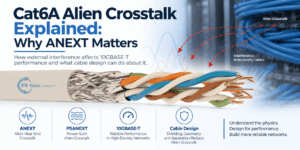
Cat6A Alien Crosstalk Explained: Why ANEXT Matters
Cat6A alien crosstalk is one of the most important performance considerations in high-speed copper structured cabling. As Ethernet freq...
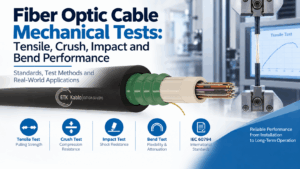
Fiber Optic Cable Mechanical Tests: Tensile, Crush, Impact and Bend Performance
Fiber optic cable testing is essential because good optical performance alone does not prove that a cable can survive installation and ...
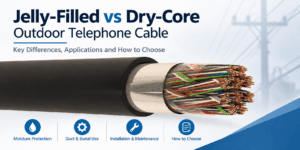
Jelly-Filled vs Dry-Core Outdoor Telephone Cable
Jelly-filled vs dry-core is an important construction choice when specifying outdoor telephone cable for telecom distribution networks,...
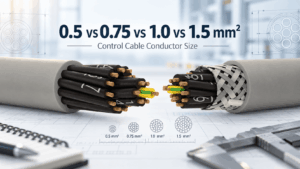
0.5 vs 0.75 vs 1.0 vs 1.5 mm² Control Cable: How to Select Conductor Size
Control cable conductor size affects resistance, voltage drop, current-carrying capability, cable diameter, flexibility and cost. Among...
300/500 V vs 450/750 V Control Cable: When Is the Higher Voltage Rating Required?
Control cable voltage rating is one of the most important electrical parameters to check when selecting cables for industrial machinery...


