





 President’s Message
Blog
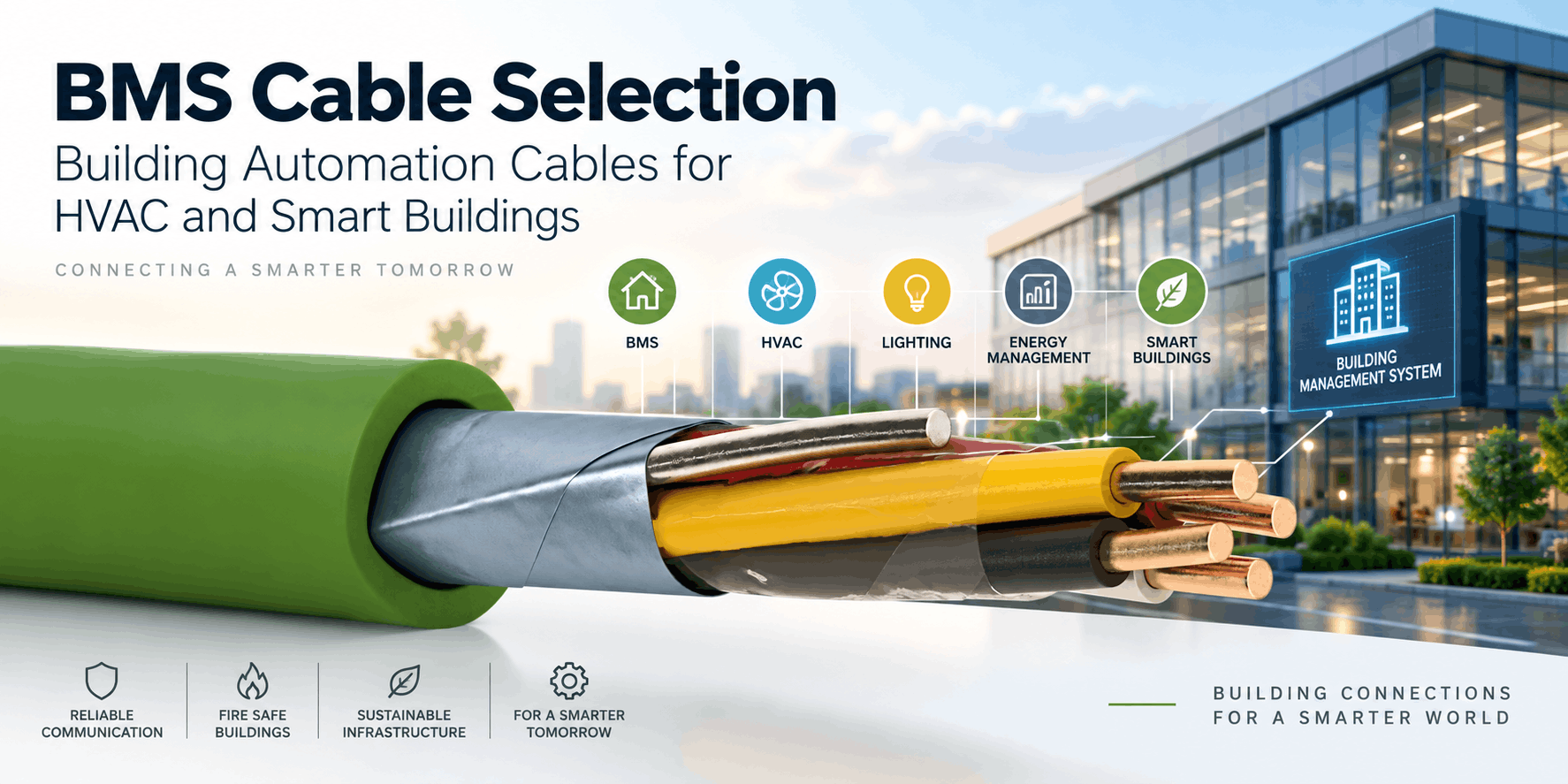
BMS Cable Selection: Building Automation Cables for HVAC and Smart Buildings
Reading Time: 18 minutes
BMS cable selection should begin with the communication protocol and physical layer rather than with a generic request for “building automation cable.” Modern Building Management Systems can combine KNX, BACnet, Modbus, Ethernet, conventional control circuits, analogue sensors and fiber optic backbones within the same building.
As a result, there is no single cable construction that can correctly serve every BMS, HVAC and smart-building connection.
A KNX twisted-pair network requires a purpose-designed bus cable with controlled electrical characteristics. BACnet MS/TP and Modbus RTU commonly operate over RS-485 and therefore require appropriate balanced twisted-pair communication cable. BACnet/IP and Modbus TCP, by contrast, use Ethernet infrastructure. Meanwhile, conventional sensors, valves, relays and actuators can require control or instrumentation cables rather than network bus cables.
Building automation projects can also include fiber optic cable between buildings, equipment rooms or network switches where longer transmission distances, high bandwidth or electrical isolation are required.
Therefore, the correct cable should be selected only after identifying what the connected devices are communicating, what physical interface they use and where the cable will be installed.
Quick answer: BMS and smart-building systems can require several cable families. KNX TP uses dedicated screened twisted-pair bus cable. BACnet MS/TP and Modbus RTU commonly use RS-485 twisted-pair communication cable. BACnet/IP and Modbus TCP operate over Ethernet. Conventional HVAC inputs and outputs can use control or instrumentation cables, while fiber optic cable can provide backbone links. Cable fire performance, shielding and environmental construction should then be specified separately.
BMS Cable Selection at a Glance
| BMS Connection | Typical Cable Family | Main Selection Parameters |
|---|---|---|
| KNX TP | KNX / EIB bus cable | Pair construction, resistance, capacitance, shielding |
| BACnet MS/TP | RS-485 twisted-pair cable | Impedance, capacitance, shielding, conductor size |
| BACnet/IP | Ethernet cable | Category, shielding, bandwidth, fire class |
| Modbus RTU | RS-485 twisted-pair cable | Balanced pair, impedance, shielding, capacitance |
| Modbus TCP | Ethernet cable | Category, network design, environmental rating |
| Analogue sensors | Instrumentation / signal cable | Screening, capacitance, pair construction |
| Digital I/O | Control cable | Core count, conductor size, voltage, screening |
| Actuators and relays | Control cable | Current, voltage, core count, flexibility |
| IP backbone | Ethernet or fiber optic cable | Distance, bandwidth, EMC environment |
| Inter-building backbone | Fiber optic cable | Fiber type, count, armour, environment |
Consequently, specifying simply “BMS cable” leaves too many technical questions unanswered.
What Is a Building Management System?
A Building Management System, or BMS, integrates monitoring and control functions across a building or group of buildings.
Depending on the project, the BMS can monitor or control:
- Heating
- Ventilation
- Air conditioning
- Lighting
- Energy consumption
- Room conditions
- Pumps
- Fans
- Valves
- Dampers
- Chillers
- Boilers
- Access-control interfaces
- Electrical-metering systems
- Other building services
The BMS can receive information from field sensors, process that information through controllers and then send commands to actuators or other equipment.
However, these devices do not necessarily use the same communication method.
Therefore, BMS architecture can contain several cable technologies at different levels of the network.
BMS Is a System, Not a Cable Type
This distinction is fundamental.
Terms such as:
- BMS cable
- building automation cable
- HVAC cable
- smart-building cable
are useful commercial descriptions, but they do not identify one standardized electrical construction.
A BMS can contain digital communication buses, Ethernet networks, analogue sensor loops and conventional control circuits simultaneously.
As a result, two cables installed only a few centimetres apart inside the same automation panel can require entirely different electrical properties.
Therefore, protocol and circuit function should always be identified before cable type.
How a BMS Network Is Structured
Building automation networks can be understood as several interconnected levels.
At the field level, sensors and actuators interact directly with the building environment.
These devices can include:
- Temperature sensors
- Humidity sensors
- CO₂ sensors
- Pressure transmitters
- Room controllers
- Valve actuators
- Damper actuators
- Presence detectors
Above them, automation controllers process inputs and execute control logic.
At a higher level, supervisory servers, workstations and gateways can connect through IP networks.
Consequently, cable requirements can change as communication moves from field-level devices to the building backbone.
BMS Cable Selection Starts with the Protocol
One of the most common specification mistakes is selecting the cable before confirming the protocol.
For example, a device description might simply state:
BMS compatible
That information alone does not establish the required cable.
The device could communicate using:
- KNX TP
- BACnet MS/TP
- BACnet/IP
- Modbus RTU
- Modbus TCP
- A proprietary RS-485 protocol
- Ethernet
- Conventional analogue I/O
- Digital I/O
Therefore, the physical communication interface should be confirmed before preparing the cable schedule.
BMS Cable Selection for KNX Networks
KNX is widely used for intelligent building control applications such as lighting, HVAC, room automation, shading and energy management.
KNX Twisted Pair uses purpose-designed bus cable with controlled conductor and transmission characteristics.
A common construction contains:
- Two twisted pairs
- Solid copper conductors
- Red / black bus pair
- White / yellow additional pair
- Overall metallic foil screen
- Drain wire
Standardized KNX TP cable commonly uses 0.8 mm conductors, although the KNX standardized-cable framework permits the applicable diameter range defined by the system specification.
Consequently, KNX cable should not be replaced automatically by generic control or Ethernet cable.
KNX Cable vs General BMS Cable
KNX cable represents one specific building-automation physical layer.
The term “BMS cable,” by contrast, can refer to many different cable types.
Therefore:
Every KNX cable can serve a building-automation application, but not every building-automation cable is a KNX cable.
This distinction becomes especially important in large commercial buildings where KNX can operate alongside BACnet and Modbus networks.
EIB-Y(St)Y for KNX Systems
EIB-Y(St)Y is a screened PVC-based bus cable used for appropriate KNX and EIB building automation applications.
A typical construction can include:
- Solid copper conductors
- PVC insulation
- Twisted conductor groups
- Polyester wrapping
- Aluminium/polyester overall screen
- Tinned copper drain wire
- PVC outer sheath
The overall screen helps protect the communication bus against electromagnetic interference.
Therefore, EIB-Y(St)Y can provide a practical building-automation solution where the project’s material and fire requirements permit PVC construction.
EIB-H(St)H for Halogen-Free Buildings
EIB-H(St)H provides a halogen-free alternative for suitable KNX/EIB installations.
The cable retains the required screened bus architecture while replacing conventional PVC materials with halogen-free compounds.
This can be particularly relevant in:
- Airports
- Hospitals
- Hotels
- High-rise buildings
- Commercial developments
- Public buildings
- Transport infrastructure
However, halogen-free construction should not be confused with circuit integrity or a specific CPR class.
Therefore, KNX communication performance and fire performance should be specified independently.
BACnet in BMS Networks
BACnet is a data communication protocol developed specifically for building automation and control systems.
It can support building functions including HVAC, lighting, access control and other integrated systems.
Importantly, BACnet is not tied to one cable type.
For cable selection, two commonly encountered implementations are:
- BACnet MS/TP
- BACnet/IP
These use very different physical communication infrastructures.
Consequently, writing only “BACnet cable” in a specification can be ambiguous.
BMS Cable Selection for BACnet MS/TP
BACnet MS/TP commonly operates over an RS-485 physical layer.
Suitable cabling generally uses a balanced twisted pair designed for RS-485 data communication.
Depending on the equipment manufacturer, important parameters can include:
- Characteristic impedance around the RS-485 design range
- Low capacitance
- Twisted-pair construction
- Screening
- Conductor size
- Maximum segment length
- Termination requirements
Many BMS controller manufacturers specify approximately 120 Ω communication cable and 120 Ω termination at the two ends of the RS-485 bus.
However, the controller manufacturer’s documentation should always be followed because network loading, topology and cable requirements can differ between systems.
Why Low Capacitance Matters for BACnet MS/TP
Capacitance affects how rapidly electrical signals can transition along an RS-485 communication line.
Higher cable capacitance can limit reliable communication, especially as:
- Cable length increases
- Baud rate increases
- More devices are connected
Therefore, low-capacitance twisted-pair cable is commonly recommended for BACnet MS/TP installations.
Simply using any two-core screened cable does not guarantee suitable network behaviour.
BACnet MS/TP Topology
RS-485 networks are normally installed as a bus rather than an unrestricted star network.
The principal communication pair passes from device to device along the segment.
Termination is then applied according to the equipment manufacturer’s network requirements.
Excessive stubs and incorrect termination can create signal reflections and communication errors.
Consequently, correct cable cannot compensate for incorrect network topology.
BMS Cable Selection for BACnet/IP
BACnet/IP moves BACnet communication onto an IP network.
Therefore, cable selection follows Ethernet infrastructure principles rather than RS-485 bus-cable principles.
Depending on the project, copper Ethernet links can use:
Fiber optic links can also form part of the BACnet/IP backbone.
Consequently, a BACnet/IP controller should not automatically be connected using a cable selected for BACnet MS/TP.
BACnet MS/TP vs BACnet/IP Cable
| Characteristic | BACnet MS/TP | BACnet/IP |
|---|---|---|
| Physical network | RS-485 | Ethernet / IP |
| Typical copper cable | Balanced twisted pair | Category Ethernet cable |
| Typical topology | Bus / daisy chain | Switched Ethernet |
| Termination | Required according to RS-485 design | Not RS-485 termination |
| Fiber backbone possible | Through network conversion | Yes |
| Typical use | Field controllers | Supervisory / IP network |
Therefore, the protocol name alone is insufficient. The BACnet physical layer must also be identified.
Modbus in Building Automation
Modbus is also frequently used to integrate building and HVAC equipment.
Common devices can include:
- Energy meters
- Variable-frequency drives
- Chillers
- Boilers
- Heat pumps
- Power meters
- Controllers
- Other HVAC equipment
As with BACnet, Modbus can operate through different physical networks.
The most relevant distinction for cable selection is usually between:
- Modbus RTU over serial RS-485
- Modbus TCP over Ethernet
BMS Cable Selection for Modbus RTU
The Modbus Serial Line specification requires appropriate shielded serial communication cabling.
For RS-485 Modbus, the communication channel uses a balanced data pair together with the required common conductor arrangement.
Therefore, suitable cable construction can include:
- Balanced twisted pair
- Overall screen
- Drain wire
- Low capacitance
- Suitable characteristic impedance
Many equipment manufacturers specify approximately 120 Ω RS-485 cable.
However, cable selection should still follow the exact device documentation.
BMS Cable Selection for Modbus TCP
Modbus TCP operates across Ethernet rather than the conventional RS-485 serial bus.
Therefore, its copper cabling can use suitable structured Ethernet cable.
Depending on network speed and project requirements, this can include Cat 6 or Cat 6A constructions.
Fiber optic Ethernet can also be used between network switches where appropriate.
Consequently, “Modbus cable” is another phrase that should be avoided unless the RTU or TCP implementation is identified.
BMS Cable Selection for RS-485 Networks
RS-485 is one of the most important physical communication standards found in building automation.
It can carry protocols including:
- BACnet MS/TP
- Modbus RTU
- Manufacturer-specific serial protocols
A suitable RS-485 cable generally requires controlled transmission characteristics rather than simply two copper conductors.
Important parameters can include:
- Balanced pair construction
- Characteristic impedance
- Capacitance
- Conductor resistance
- Shielding
- Drain wire
Therefore, generic signal cable should not automatically be approved as an RS-485 network cable.
Can the Same RS-485 Cable Carry BACnet and Modbus?
The same cable construction can potentially be suitable for either protocol when it satisfies the physical-layer requirements of the connected equipment.
However, that does not mean BACnet MS/TP and Modbus RTU should share the same communication pair simultaneously.
They are different protocols.
Controllers with configurable RS-485 ports can sometimes assign a port to either BACnet MS/TP or Modbus RTU, depending on the device.
Therefore, cable suitability and protocol interoperability are separate questions.
BMS Cable Selection for Ethernet Networks
IP-based building automation has increased the importance of Ethernet infrastructure.
Ethernet can connect:
- BMS servers
- Supervisory controllers
- BACnet/IP devices
- Modbus TCP devices
- Network switches
- Gateways
- Building analytics platforms
Cable category should follow the network design rather than being selected solely because the installation belongs to a BMS.
Consequently, Cat 6 and Cat 6A frequently form part of modern smart-building infrastructure.
Cat 6 for Building Automation
Cat 6 cable provides Ethernet transmission suitable for many standard building-network applications.
Depending on installation conditions, constructions can include:
- U/UTP
- F/UTP
- U/FTP
- Other screened configurations
The appropriate option depends on network performance and electromagnetic environment.
Therefore, the cable should be selected according to the actual Ethernet requirement rather than simply being labelled a BMS cable.
Cat 6A for Smart Buildings
Cat 6A is particularly relevant where higher-performance Ethernet, increased bandwidth or long-term network capacity is desired.
It can be used within:
- BMS IP networks
- Smart-building backbones
- Controller networks
- Building IoT infrastructure
Screening can become useful in electrically noisy plant rooms and equipment spaces.
However, unnecessary screening should not be specified without considering grounding and system design.
BMS Cable Selection for Fiber Optic Backbones
Fiber optic cable can provide a high-capacity backbone between different areas of a smart building.
Potential applications include:
- Building-to-building connections
- Floor distribution
- Equipment rooms
- Campus networks
- Remote plant rooms
- Network-switch interconnections
Fiber provides electrical isolation and immunity to electromagnetic interference.
Therefore, it can be particularly useful between buildings or in environments containing significant electrical equipment.
Single-Mode vs Multimode for BMS Backbones
The correct fiber type depends primarily on network architecture, transceivers and transmission distance.
Single-mode OS2 can provide long-distance connectivity and substantial upgrade potential.
Multimode OM3, OM4 or OM5 can serve appropriate shorter-distance building and data-network applications.
Consequently, fiber type should be coordinated with the Ethernet and network equipment rather than chosen only according to building size.
Control Cable in BMS Systems
Not every building-automation circuit uses a digital communication bus.
Conventional control cables remain important for connections including:
- Relays
- Contactors
- Motorized valves
- Dampers
- Pumps
- Fans
- Auxiliary contacts
- Digital input/output circuits
These cables can use multiple conductors for individual commands and status signals.
Therefore, multicore control cable remains complementary to KNX, BACnet and Modbus networks.
YSLY Control Cable in Building Services
YSLY is a flexible multicore control cable commonly used for general control and automation connections.
It can be suitable for:
- HVAC equipment
- Control panels
- Relays
- Actuators
- Building-services machinery
The cable is generally selected according to conductor cross-section, core count, voltage and environmental conditions.
However, conventional YSLY does not automatically provide the controlled communication characteristics required by KNX or RS-485 networks.
YSLYCY for Screened Control Circuits
YSLYCY adds metallic screening to the general control-cable concept.
This can be useful when control circuits operate near electromagnetic interference sources such as:
- Motors
- Variable-frequency drives
- Power cables
- Transformers
- Electrical panels
Nevertheless, a screened control cable should not automatically replace purpose-designed bus cable.
Screening addresses EMI protection but does not define RS-485 impedance or KNX transmission characteristics.
Instrumentation Cable in Building Automation
Instrumentation and signal cables can serve analogue measurement circuits within HVAC and BMS systems.
Examples include:
- Temperature transmitters
- Pressure transmitters
- Flow measurement
- Level signals
- 4–20 mA circuits
- Low-level analogue signals
Twisted pairs and screens can help protect these signals against electromagnetic interference.
Therefore, instrumentation cable can remain necessary even in highly digital smart buildings.
Pair vs Multicore Cable in BMS Applications
The cable geometry should reflect the signal type.
Twisted-pair construction is commonly preferred for balanced communication or low-level signal circuits.
Multicore cable can be more appropriate for conventional digital outputs, relay commands and other discrete control functions.
Consequently, selecting cable only by the required number of copper conductors can lead to unsuitable signal performance.
Screened vs Unscreened Building Automation Cable
Screening can protect communication and signal circuits from electromagnetic interference.
It can be beneficial near:
- Motors
- VFDs
- Transformers
- Power cables
- Large electrical panels
However, not every BMS circuit requires the same shielding construction.
KNX commonly uses an overall foil screen. RS-485 communication often uses shielded twisted pair according to device requirements. Conventional control wiring can be either screened or unscreened.
Therefore, screen type should follow the circuit rather than a universal BMS rule.
Why Drain Wire Matters
A drain wire provides convenient electrical contact with a foil screen.
This can simplify screen continuity along the cable route.
However, screen termination practices depend on the communication system and equipment manufacturer.
For example, RS-485 network documentation can specify grounding at a defined location to avoid unwanted current paths.
Consequently, correct cable construction must be combined with correct screen termination.
HVAC Control Cable Selection
HVAC systems contain many different electrical functions.
A single air-handling unit can contain:
- Temperature sensors
- Pressure sensors
- Damper actuators
- Valve actuators
- Fans
- VFDs
- Digital inputs
- Digital outputs
- BACnet or Modbus communication
Therefore, one AHU can require several cable families simultaneously.
Calling all of them “HVAC cable” can hide important technical differences.
BMS Cable Selection for Sensors
The correct sensor cable depends on the sensor output.
A sensor can provide:
- Resistance measurement
- 0–10 V signal
- 4–20 mA signal
- Digital contact
- RS-485 communication
- KNX communication
- Ethernet
Each output can require a different cable construction.
Therefore, the sensor datasheet should be checked before specifying the cable.
BMS Cable Selection for Actuators
Actuators can also use several connection methods.
Examples include:
- 24 V control
- 0–10 V control
- Floating three-point control
- Digital communication
- KNX
- Modbus
- BACnet
Consequently, actuator cable selection depends on whether the cable carries power, analogue control, discrete commands or digital communication.
Variable-Frequency Drives and BMS Cabling
Variable-frequency drives can create substantial electromagnetic noise.
BMS communication and analogue signal cables routed nearby can therefore require careful screening and separation.
Potential affected circuits include:
- RS-485
- Analogue sensors
- Control signals
- Ethernet
Consequently, cable route design can be as important as cable screening itself.
A high-quality shielded cable cannot fully compensate for poor installation practices beside high-noise power circuits.
Smart Building Cable Architecture
A modern smart building can combine operational technology and information technology networks.
For example:
- KNX at room level
- BACnet MS/TP at controller level
- BACnet/IP at supervisory level
- Modbus RTU for meters and drives
- Ethernet between controllers and switches
- Fiber between buildings or equipment rooms
This layered architecture explains why one universal smart-building cable does not exist.
Instead, the building uses an integrated cable ecosystem.
BMS Cable Selection for Offices
Office buildings frequently combine lighting, HVAC, room automation and energy monitoring.
Potential cable types include:
- KNX bus cable
- RS-485 cable
- Ethernet cable
- Control cable
- Instrumentation cable
- Fiber optic backbone cable
Consequently, cable schedules should identify both system and protocol rather than grouping everything under a single “BMS” heading.
BMS Cables for Hotels
Hotels can contain extensive room-automation networks.
Applications can include:
- Guest-room temperature control
- Lighting scenes
- Occupancy detection
- Blind control
- Energy management
- Central monitoring
KNX can be used at room level while BACnet or another IP-based protocol integrates the wider building.
Therefore, both field-bus cable and network cabling can appear within the same hotel automation project.
BMS Cables for Hospitals
Hospitals contain complex HVAC and environmental-control requirements.
Building automation can monitor:
- Room temperature
- Air pressure
- Ventilation
- Air quality
- Energy consumption
- Plant equipment
Halogen-free and CPR requirements can also become important according to the project.
Consequently, cable communication performance and fire behaviour should be specified separately.
BMS Cables for Airports
Airports contain extensive HVAC, lighting, energy and facility-management systems distributed across large areas.
The BMS architecture can therefore use several physical communication layers.
Fiber optic backbones can connect distant areas, while Ethernet connects IP-based controllers and servers. RS-485 can serve local BACnet or Modbus devices, while KNX can support particular building-automation functions.
Therefore, large transport facilities demonstrate especially clearly why building automation requires multiple cable families.
BMS Cables for Data Centers
Data centers require precise environmental monitoring and extensive integration between cooling, energy and facility systems.
BMS connections can involve:
- Temperature monitoring
- Humidity monitoring
- Cooling systems
- Power meters
- UPS interfaces
- Generators
- Networked controllers
High electromagnetic activity and network availability requirements can place particular emphasis on correct shielding and backbone design.
Consequently, fiber and screened communication cables can play important roles alongside conventional control wiring.
BMS Cables for Industrial Buildings
Industrial buildings can combine ordinary building services with machinery and production systems.
As a result, the cable environment can include:
- Large motors
- VFDs
- High-current power cables
- Industrial Ethernet
- PLC systems
- Building HVAC
Electromagnetic compatibility can therefore become particularly important.
However, BMS and machine automation should still be treated as separate system functions where appropriate.
PVC vs LSZH Building Automation Cable
Communication protocol and sheath material are separate specification decisions.
PVC construction can provide durable and cost-effective cable solutions where permitted.
LSZH materials can reduce smoke and halogen-containing combustion products in applications where these characteristics are required.
Therefore, both PVC and LSZH versions can exist within similar communication cable families.
The project fire strategy should determine the required material system.
CPR Classification for Building Automation Cables
Cables permanently incorporated into applicable European construction works can require CPR reaction-to-fire classification.
Possible Euroclasses can include:
- B2ca
- Cca
- Dca
- Eca
Supplementary classifications can also address smoke, flaming droplets and acidity.
However, CPR class does not determine communication compatibility.
A Cca KNX cable and a Cca RS-485 cable can still have completely different electrical constructions.
LSZH Does Not Define the BMS Protocol
This mistake occurs frequently in specifications.
A consultant can request:
LSZH BMS cable
but that phrase still does not explain whether the cable must be:
- KNX
- RS-485
- Ethernet
- Control cable
- Instrumentation cable
Therefore, material and communication requirements should be written separately.
Fire-Resistant BMS Cable
Most ordinary building-automation circuits do not automatically require circuit-integrity cable merely because they belong to a BMS.
However, selected safety-related circuits can require continued operation according to the building fire strategy.
These should be specified using the appropriate fire-survival requirements rather than applying FE180 or PH120 indiscriminately to all BMS cables.
Consequently, the safety function of the circuit should determine whether fire-resistant construction is necessary.
BMS vs Fire Alarm Cabling
A BMS can receive information from a fire alarm system through an approved interface.
However, that does not make the BMS network itself the fire alarm system.
Life-safety circuits remain subject to the relevant fire-alarm design and regulatory requirements.
Therefore, ordinary BMS cable should not automatically replace dedicated fire-alarm or fire-resistant cable.
Outdoor Building Automation Cable
Some building automation devices are located outdoors.
Examples include:
- Weather sensors
- External plant equipment
- Cooling equipment
- Remote energy systems
- Building-to-building links
Outdoor cable can require additional:
- UV resistance
- Moisture resistance
- Temperature capability
- Mechanical protection
Therefore, indoor communication performance alone does not establish outdoor suitability.
Armored BMS Cable
Some routes can require additional mechanical protection.
Armour can be relevant in:
- Plant rooms
- Industrial buildings
- Outdoor routes
- Underground infrastructure
- Areas exposed to mechanical damage
However, adding armour does not transform a generic cable into a protocol-compliant cable.
The communication core must still satisfy the required electrical characteristics.
Common BMS Cable Selection Mistakes
1. Specifying Only “BMS Cable”
The term does not identify the communication protocol or physical layer.
2. Treating BACnet as One Cable Type
BACnet MS/TP and BACnet/IP use different network infrastructures.
3. Treating Modbus as One Cable Type
Modbus RTU and Modbus TCP have different cabling requirements.
4. Using Control Cable for RS-485 Automatically
General control cable does not necessarily provide the required impedance and capacitance.
5. Using Ethernet Cable for KNX Automatically
KNX TP has its own electrical and conductor requirements.
6. Selecting by Conductor Count Alone
Equal conductor count does not mean equal communication performance.
7. Ignoring Capacitance
Capacitance can influence RS-485 and other communication networks.
8. Ignoring Characteristic Impedance
RS-485 networks require cable characteristics appropriate to the equipment design.
9. Ignoring Shield Termination
A screen provides limited value if it is terminated incorrectly.
10. Creating Star Topologies on RS-485 Without Approval
Incorrect topology can create signal reflections and communication problems.
11. Assuming LSZH Means Protocol Compatible
Fire-material properties do not define communication performance.
12. Assuming Cca Means KNX or BACnet Compatible
CPR class and network performance are independent requirements.
13. Using One Cable for Every HVAC Connection
Sensors, actuators, RS-485 devices and power circuits can require different constructions.
14. Ignoring VFD Interference
High-noise equipment can affect nearby communication and analogue circuits.
15. Using Copper Where Fiber Is More Appropriate
Long-distance or electrically isolated backbone links can benefit from optical fiber.
16. Assuming BMS Cable Is Fire Alarm Cable
Building automation and life-safety systems have different functions and requirements.
17. Selecting Cable Before Reading the Device Datasheet
The connected equipment determines the physical communication requirements.
18. Ignoring Environmental Conditions
Indoor, outdoor and industrial routes can require different sheath and mechanical designs.
How to Perform BMS Cable Selection
Step 1: Identify the Connected Devices
Determine what equipment is being connected and what function the connection performs.
Step 2: Identify the Protocol
Confirm KNX, BACnet, Modbus, Ethernet, analogue signal or conventional control.
Step 3: Identify the Physical Layer
For BACnet and Modbus in particular, determine whether the system uses RS-485 or Ethernet.
Step 4: Check the Equipment Datasheet
Verify the manufacturer’s required conductor, impedance, capacitance, shielding and topology parameters.
Step 5: Determine Pair or Multicore Construction
Select balanced twisted pairs for communication systems that require them and multicore construction for appropriate conventional control circuits.
Step 6: Define Shielding
Consider the electromagnetic environment and protocol requirements.
Step 7: Check Cable Length
Verify maximum communication distance against the network equipment and cable characteristics.
Step 8: Select PVC or LSZH
Choose the material system according to project fire requirements.
Step 9: Define CPR Class
Specify the required reaction-to-fire classification where applicable.
Step 10: Check Environmental Conditions
Review UV, moisture, oil, temperature and mechanical risks.
Step 11: Consider Fiber Backbone Requirements
Evaluate fiber for longer distances, inter-building links or EMI-sensitive environments.
Step 12: Verify the Complete System
Confirm cable, topology, termination and device configuration before commissioning.
What Should Buyers Include in a BMS Cable RFQ?
A professional BMS cable selection process requires more information than the phrase “building automation cable.”
Useful RFQ information includes:
- System application
- Connected equipment
- Communication protocol
- Physical layer
- KNX requirement where applicable
- BACnet MS/TP or BACnet/IP
- Modbus RTU or Modbus TCP
- RS-485 requirement
- Characteristic impedance where specified
- Maximum capacitance where specified
- Number of pairs or cores
- Conductor diameter or cross-section
- Shielding requirement
- Drain wire requirement
- Ethernet category where applicable
- Fiber type and count where applicable
- PVC or LSZH
- CPR class
- Outdoor or indoor installation
- UV resistance
- Mechanical protection
- Operating temperature
- Required test documentation
- Project-specific standard
Consequently, cable manufacturers can quote technically equivalent products rather than interpreting “BMS cable” differently.
ETK Kablo Solutions for BMS and Smart Buildings
ETK Kablo manufactures several cable families that can be used across building automation, HVAC and smart-building systems according to the communication protocol and circuit function.
For KNX and EIB networks, ETK’s building automation portfolio includes:
- EIB-Y(St)Y
- EIB-H(St)H
- EIB-2Y(St)Y
- EIB-2Y(St)H
These cable families provide screened bus constructions for appropriate KNX/EIB applications with different insulation and sheath options.
ETK also manufactures control and signal cable families that can support conventional BMS and HVAC control functions where their electrical characteristics match the circuit.
For IP-based building networks, ETK’s Ethernet cable portfolio includes Cat 6, Cat 6A, Cat 7 and Cat 7A constructions in multiple shielding and fire-performance configurations.
Meanwhile, fiber optic cables can support building and campus backbone connections with single-mode or multimode optical-fiber designs.
Therefore, ETK approaches BMS projects as a multi-cable architecture rather than attempting to describe one universal product as suitable for every building automation connection.
Frequently Asked Questions About BMS Cable Selection
What cable is used for BMS?
There is no single universal BMS cable. Cable type depends on the protocol and physical layer, such as KNX, RS-485, Ethernet, conventional control or fiber optic communication.
What cable is used for BACnet?
BACnet MS/TP generally uses RS-485 twisted-pair communication cable, while BACnet/IP uses Ethernet infrastructure.
What cable is used for BACnet MS/TP?
Use an appropriate RS-485 balanced twisted-pair cable that satisfies the impedance, capacitance, conductor and shielding requirements of the connected equipment.
What cable is used for BACnet/IP?
BACnet/IP operates over IP networks and can use appropriate Ethernet copper or fiber infrastructure.
What cable is used for Modbus RTU?
Modbus RTU over RS-485 normally uses suitable shielded balanced twisted-pair serial communication cable.
What cable is used for Modbus TCP?
Modbus TCP uses Ethernet infrastructure rather than the conventional RS-485 serial bus.
Is BACnet cable the same as Modbus cable?
Not necessarily. BACnet and Modbus are different protocols, although BACnet MS/TP and Modbus RTU can both use RS-485 physical networks with similar cable requirements in some applications.
Can the same RS-485 cable be used for BACnet and Modbus?
A cable can be physically suitable for either network if it meets the connected equipment requirements. However, the protocols themselves remain separate.
Is KNX cable the same as RS-485 cable?
No. KNX TP has its own defined cable characteristics and should not be treated simply as generic RS-485 cabling.
Can Cat6 be used for BMS?
Yes, Cat6 can support suitable Ethernet-based BMS networks such as BACnet/IP or Modbus TCP. It should not automatically replace cables required for KNX TP or RS-485 networks.
Can Cat6A be used for BMS?
Yes. Cat6A can support higher-performance Ethernet portions of smart-building networks where appropriate.
Is fiber optic cable used in BMS?
Yes. Fiber can provide backbone links between equipment rooms, floors, buildings or network switches.
What cable is used for HVAC controls?
HVAC systems can require control cable, instrumentation cable, KNX, RS-485, Ethernet or other cable types depending on the connected equipment and communication method.
What cable is used for 0–10 V sensors?
Suitable low-voltage signal or instrumentation cable can be used according to the sensor manufacturer’s requirements and electromagnetic environment.
What cable is used for 4–20 mA signals?
Twisted and screened instrumentation cable is commonly used for 4–20 mA measurement circuits where appropriate.
Should BMS cable be screened?
It depends on the protocol, device requirements and electromagnetic environment. KNX and many RS-485 networks use screening, while other circuits may not require it.
What impedance should RS-485 cable have?
Many RS-485 BMS devices specify cable around 120 Ω, but the exact equipment documentation should control the final cable selection.
Does LSZH mean the cable is suitable for BMS?
No. LSZH describes material fire characteristics and does not establish protocol compatibility.
Does BMS cable need CPR classification?
Where the cable falls within applicable European construction-product requirements, the project can specify an appropriate CPR reaction-to-fire class.
Can control cable replace BACnet MS/TP cable?
Not automatically. The cable must satisfy the RS-485 transmission requirements specified by the equipment manufacturer.
Can control cable replace KNX cable?
A conventional control cable should not automatically replace a purpose-designed KNX TP cable because pair construction and electrical characteristics differ.
Can BMS and fire alarm systems share the same cable?
They should not be assumed interchangeable. Fire alarm and life-safety circuits follow their own system and regulatory requirements.
What is the most important factor in BMS cable selection?
Identify the communication protocol and physical interface first. Then verify the electrical, shielding, fire and environmental requirements.
Conclusion
Correct BMS cable selection begins with understanding that a smart building does not use one universal building automation cable.
KNX TP, BACnet MS/TP, BACnet/IP, Modbus RTU, Modbus TCP, conventional control wiring and fiber optic backbones all serve different functions and can require fundamentally different cable constructions.
KNX uses a defined twisted-pair bus architecture. BACnet MS/TP and Modbus RTU commonly use RS-485 balanced communication pairs. BACnet/IP and Modbus TCP operate across Ethernet networks. Conventional HVAC devices can still require multicore control or screened instrumentation cable.
Meanwhile, fiber optic cable can provide high-capacity, electrically isolated backbone connectivity between equipment rooms, floors or separate buildings.
Specify the Protocol Before the Cable
The most reliable specification process therefore begins by identifying the connected equipment and its communication interface.
Once the protocol and physical layer are known, engineers can define pair construction, characteristic impedance, capacitance, conductor size, shielding and maximum route length.
Material and fire requirements should then be added separately. PVC, LSZH and CPR classifications describe cable fire behaviour but do not determine protocol compatibility.
Finally, environmental factors such as UV exposure, moisture, temperature, mechanical risk and electromagnetic interference should be considered.
A well-designed smart building can therefore contain many different cable families working together. The objective is not to find one cable for every BMS function, but to select the correct cable for each physical communication layer and control circuit.
Benzer yazılar

Ethernet Cable Testing: NEXT, Return Loss, Insertion Loss and ACR Explained
Ethernet cable testing verifies whether a twisted-pair copper cabling system can transmit data within the electrical performance limits...

Fiber Optic Cable Attenuation: 850, 1310, 1550 and 1625 nm Explained
Fiber optic cable attenuation describes the reduction in optical power as light travels through an optical fiber. It is normally expres...
A-02YSF(L)2Y vs A-2Y(L)2Y Outdoor Telephone Cable
A-02YSF(L)2Y vs A-2Y(L)2Y is an important comparison when selecting copper outdoor telephone cable for telecommunications networks, und...

RS-485 Cable vs Instrumentation Cable: Can Instrumentation Cable Be Used for Modbus RTU?
A Modbus RTU cable must do more than carry a low-voltage digital signal from one device to another. Modbus RTU commonly uses an RS-485 ...

Ethernet Cable for PoE: Conductor Size, Heat and Bundle Performance
A PoE Ethernet cable carries data and electrical power over the same balanced twisted-pair cabling system. This capability simplifies t...
NHXH vs N2XH vs N2XRH: Which Fire-Resistant Power Cable Should You Choose?
NHXH vs N2XH vs N2XRH is an important comparison when specifying 0.6/1 kV power cables for emergency and life-safety systems. Although ...

How to Specify Low Current Cables for Infrastructure Projects
A professional low current cable specification should define much more than a cable name, conductor count or sheath colour. Infrastruct...

Fire Resistant Cables for Hospitals and High-Rise Buildings
Fire resistant cable for hospitals and high-rise buildings supports electrical, communication and control systems that may need to rema...

Industrial Control Cable Selection for Automation and Machinery
Industrial control cable selection should begin with the function of the circuit and the mechanical conditions of the machine rather th...

FE180 Fiber Optic Cable: Fire Integrity, Applications and Selection
An FE180 fiber optic cable is designed for optical communication routes where continued transmission during fire can form part of the p...

Screened vs Unscreened Control Cable: What Is the Difference?
Control cable shielding is one of the most important design decisions when selecting cable for industrial automation, machinery, buildi...

BMS Cable Selection: Building Automation Cables for HVAC and Smart Buildings
BMS cable selection should begin with the communication protocol and physical layer rather than with a generic request for “building au...


